
How to Deposit Money in 3RR Game App
Adding money to your 3RR Game account is simple and takes just a few minutes. This guide shows how to deposit using local methods like JazzCash and Easypaisa. If you’re new, start with our 3RR Game Registration Guide, and when you’re ready to cash out, see the 3RR Game Withdrawal Guide.
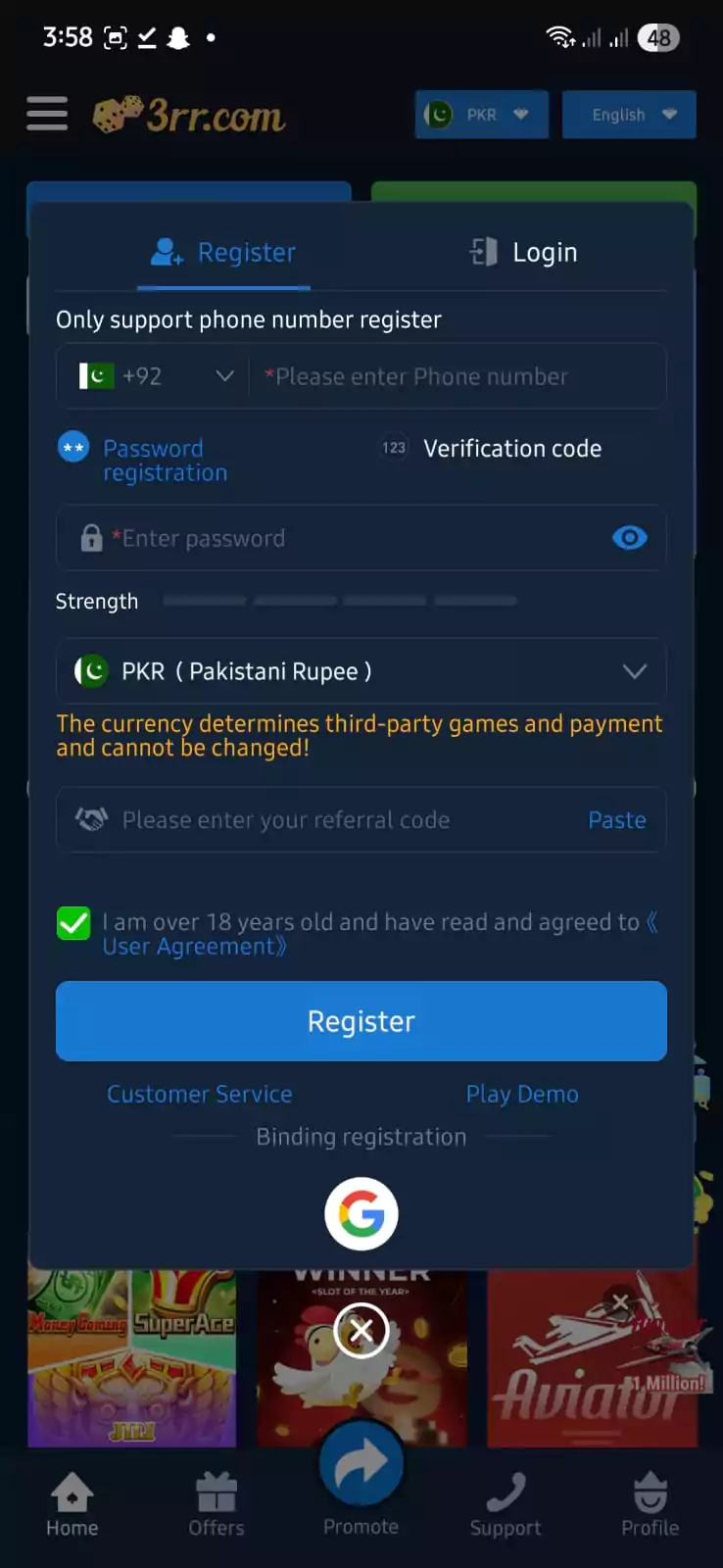
Step 1: Open the App & Go to Deposit
- Launch the 3RR Game APK on your phone.
- From the bottom menu, tap on Deposit.
- You will see different deposit options and bonus offers.

Step 2: Choose Deposit Method
- Select JazzCash or Easypaisa as your payment method.
- Both are widely used in Pakistan and allow fast transactions.
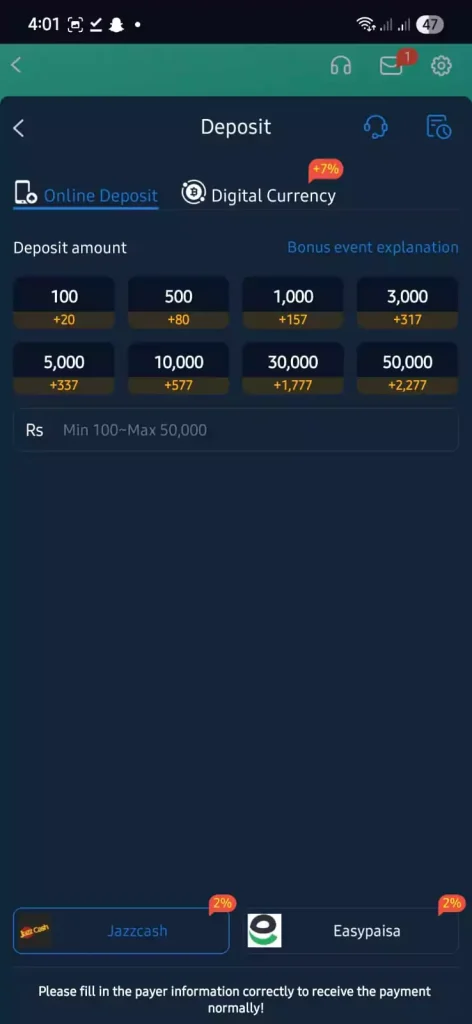
Step 3: Enter Deposit Amount
- Choose from the preset options (Rs. 100, Rs. 500, Rs. 1000, etc.) or enter a custom amount.
- The minimum deposit is Rs. 100 and the maximum is Rs. 50,000.
- You will also see extra bonus credits with your deposit (e.g., +20 on Rs. 100).
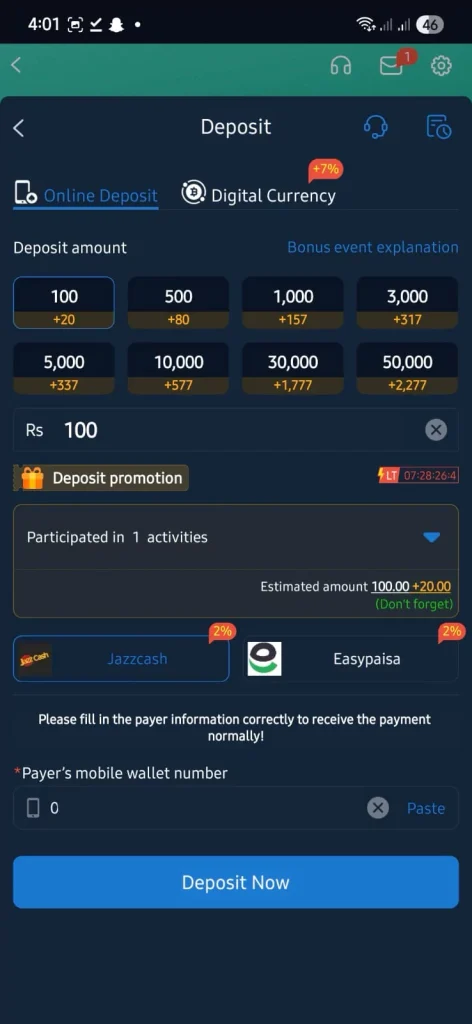
Step 4: Confirm Payment Details
- Enter your JazzCash or Easypaisa mobile wallet number correctly.
- Tap on Deposit Now.
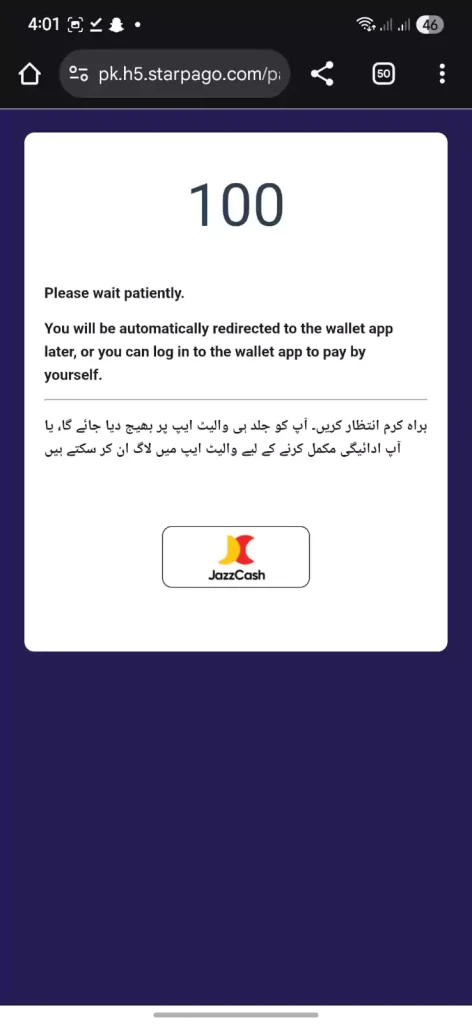
Step 5: Complete the Payment
- You will be redirected to a secure payment page.
- Approve the transaction using your JazzCash or Easypaisa app.
- Once successful, the money will instantly appear in your 3RR Game wallet balance.
Important Notes
- Always double-check the mobile wallet number before confirming.
- If the payment doesn’t reflect immediately, check your transaction history or contact 3RR Game support.
- Some deposits may include a small processing fee (2%).
That’s it! With these simple steps, you can easily deposit funds and start enjoying your favorite games like Aviator, Teen Patti, Poker, Chicken Road, and Slots.