
How to Withdraw Money from 3rr Game
If you’ve already enjoyed playing on 3RR Game and managed to win some cash, the next step is learning how to withdraw your money safely. In this guide, we’ll explain step by step how you can transfer your winnings directly to Easypaisa, JazzCash, or your Bank Account without any issues. If you’re still new, make sure to first check our 3RR Game Registration Guide to create your account and also see the 3RR Game Deposit Guide so you know how to add money before withdrawing.
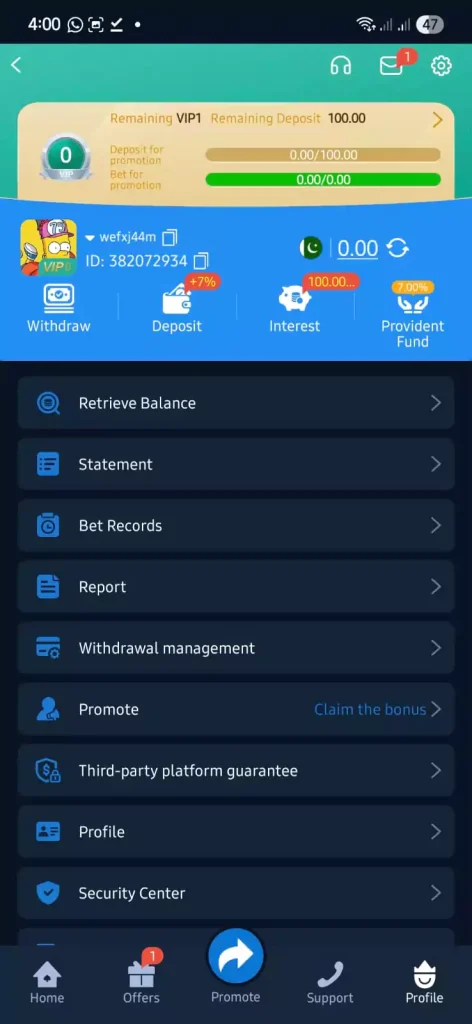
Step 1: Open Withdrawal Section
- Go to your Profile.
- Tap on the Withdraw option (as shown in your screenshot).
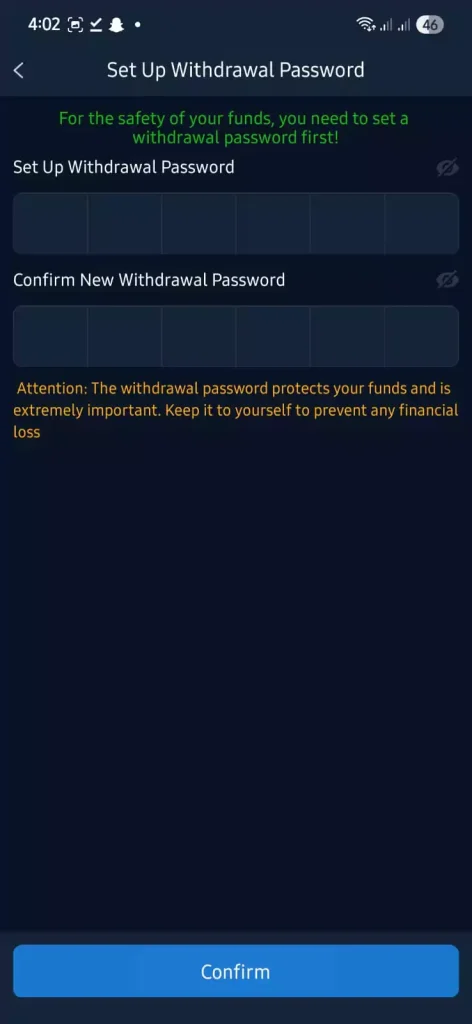
Step 2: Set a Withdrawal Password (First Time Only)
- If this is your first withdrawal, the app will ask you to create a withdrawal password.
- Enter and confirm your password.
- Keep this password safe it will be required every time you withdraw.
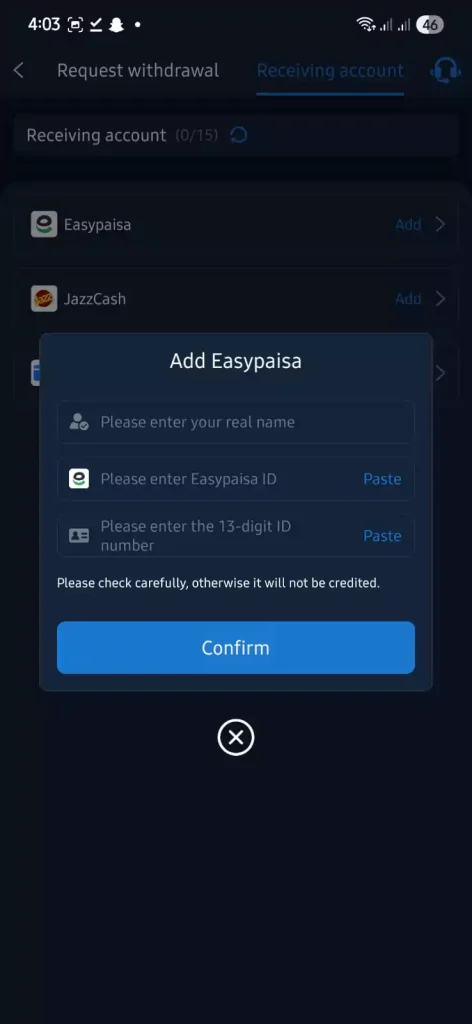
Step 3: Add Your Withdrawal Method
You need to connect your payment account before withdrawing. Choose one:
- Easypaisa → Enter your name, Easypaisa ID, and CNIC number.
- JazzCash → Enter your name, JazzCash number, and CNIC number.
- Bank Transfer → Enter your name, bank account number, bank name, and CNIC number.
Make sure details are 100% correct, otherwise the money won’t be credited.
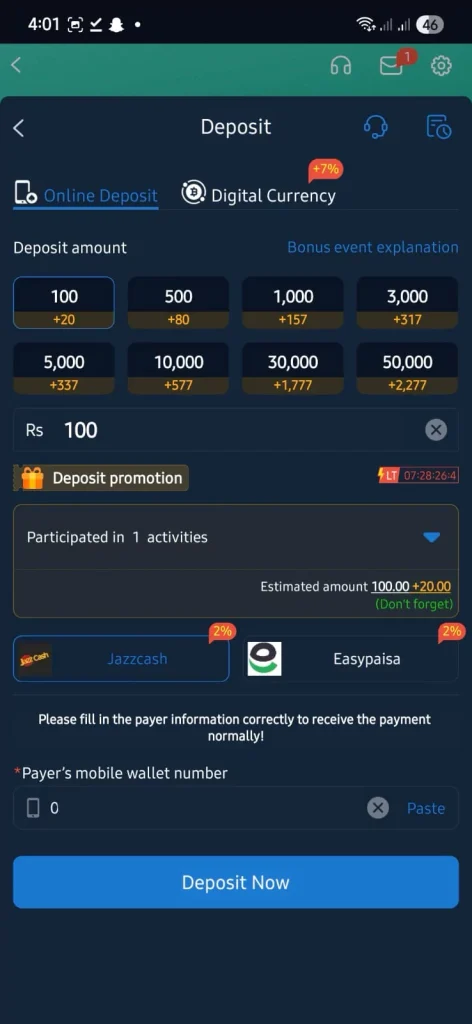
Step 4: Enter Withdrawal Amount
- Minimum withdrawal amount may vary depending on the method.
- After adding your account, enter the amount you want to withdraw.
Step 5: Confirm with Password
- Enter your withdrawal password to verify.
- Tap on Confirm Withdrawal.
Step 6: Processing & Receiving
- Your request will be processed automatically.
- Once approved, the funds will be sent to your Easypaisa, JazzCash, or Bank account.
That’s it! You’ve successfully completed your withdrawal.